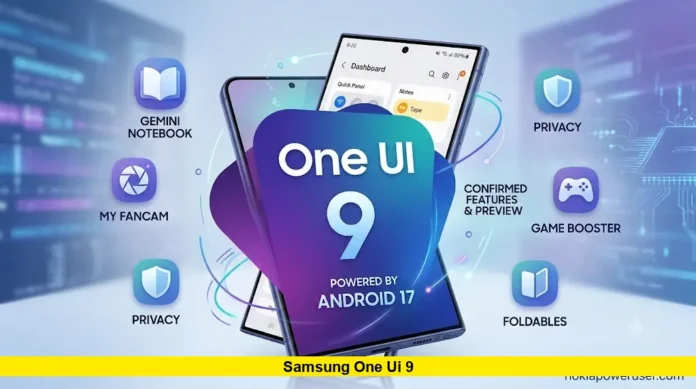

Samsung One UI 9 is now live on select Galaxy devices, and millions of users across the United States are waiting for their turn. Built on Android 17, this update brings meaningful design changes, upgraded Galaxy AI tools, and better multitasking. Here is everything confirmed so far.
Stable Launch and Current Rollout Status
Samsung officially unveiled the stable version of One UI 9 on July 22, 2026. It arrived first on the Galaxy Z Fold8, Galaxy Z Fold8 Ultra, and Galaxy Z Flip8, all of which shipped with the software preinstalled during the first week of August.
Broader rollout to existing foldables began on August 7. The Galaxy S26 series is next in line, with Samsung customer support pointing to a late August or early September stable release window. However, the beta program for the S26 lineup is still active. Samsung released a fifth beta build in early August and is now testing a sixth internal build, carrying the codename ZZHC, ahead of a planned public release expected around mid-September.
Owners of the Galaxy S25 and Galaxy S24 series have not been left out. Samsung is preparing the first open beta builds for both lineups, also under the ZZHC test version. An official beta enrollment window has not opened yet, though the company is expected to announce it soon through the Samsung Members app.
Which Galaxy Devices Will Get One UI 9
Samsung has not published a complete official eligibility list yet. Based on confirmed testing activity and the company’s usual software support pattern, the following devices are expected to receive the update:
- Galaxy Z Fold8, Z Fold8 Ultra, and Z Flip8 (already shipped with One UI 9)
- Galaxy S26, S26+, and S26 Ultra
- Galaxy S25, S25+, and S25 Ultra
- Galaxy S24, S24+, and S24 Ultra
- Galaxy S23 series
- Galaxy Z Fold7, Z Flip7, Z Fold6, and Z Flip6
- Select Galaxy A-series models, including the A57, A56, A37, A36, and A35
- Galaxy Tab S9 through Tab S11 series
Samsung has also confirmed which phones will not receive One UI 9. The Galaxy S22, S22+, S22 Ultra, and S21 FE reached their final major software update with One UI 8.5. The same applies to the Z Fold4, Z Flip4, Tab S8 series, A53, and A33.
What’s New in One UI 9
One UI 9 focuses on refinement rather than a dramatic visual overhaul, following the larger design shift introduced with One UI 8.5. Samsung describes the update as bringing a more seamless and intuitive experience alongside expanded Galaxy AI capabilities.
Key changes include:
- Three-app split screen: Multi-window support now allows three apps to run side by side at once, a significant jump from the previous two-app limit.
- Redesigned Quick Panel: Brightness, sound, and media player controls are now independently adjustable, with new sizing options for a more personalized layout.
- Samsung Notes upgrades: A new decorative tape tool lets users cover or straighten handwritten text, along with additional pen styles for more natural note-taking.
- Contacts and Creative Studio integration: Users can build personalized profile cards directly from the Contacts app without switching between apps.
- Improved accessibility: An adjustable Mouse Key speed setting allows smoother cursor control, and TalkBack now combines features that were previously split between Google and Samsung.
- FlexWindow enhancements: The Galaxy Z Flip8 cover screen gets a more consistent structural design, giving users access to more core app functions without opening the phone.
- Cross-platform Quick Share: File sharing between Galaxy and Apple devices now works in both directions through AirDrop compatibility, currently supported on the S26 series and the newest foldables.
- Lock screen refinements: The media player widget now includes colorful waveform animations, and volume and brightness sliders have been made visually thicker.
Galaxy AI also receives targeted upgrades in One UI 9, though Samsung notes that AI feature availability still varies by device model and region.
How to Check Eligibility and Install the Update
Once One UI 9 becomes available for a specific device, installing it follows Samsung’s standard update process:
- Open Settings on the Galaxy device.
- Tap Software update.
- Select Check for updates.
- If available, tap Download and install.
- Keep the device connected to Wi-Fi and above 50 percent battery before starting.
Users can also install the update through Smart Switch on a computer by connecting the phone via USB and selecting Update. After installation, the software version can be confirmed under Settings, About phone, then Software information.
The Samsung Members app remains the best way to track beta eligibility and confirm when One UI 9 becomes available for a specific device and region.
What Comes Next
Samsung’s testing lineup has expanded rapidly through August, now covering the S23, S24, S25, and S26 series alongside multiple A-series models and the upcoming Z TriFold. This broad internal testing suggests a wide public rollout is approaching, though Samsung has cautioned that exact dates for older flagships and mid-range devices could shift into the fourth quarter of 2026.
For now, Galaxy Z Fold8, Z Fold8 Ultra, and Z Flip8 owners are the only users running One UI 9 out of the box, while S26 beta testers get the closest early look at what is coming to the rest of the Galaxy lineup.
Which feature are you most excited to try once One UI 9 reaches your device? Share your thoughts in the comments below.