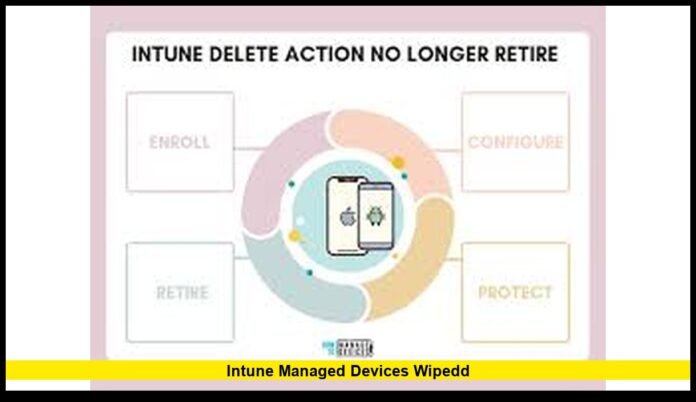

Intune Managed Devices Wiped incidents recently drew attention from enterprise IT administrators after some organizations reported devices resetting unexpectedly within Microsoft’s endpoint management environment. Companies that rely on Microsoft Intune to control employee laptops, smartphones, and tablets began reviewing device policies and administrative actions when certain managed endpoints were remotely erased or restored to factory settings.
Microsoft Intune plays a critical role in enterprise device management across the United States. Thousands of organizations use the cloud-based platform to enforce security rules, deploy software, and protect sensitive business data. Because the system includes powerful administrative tools, even a single configuration error or unauthorized action can affect a large number of managed devices.
The situation prompted many IT departments to examine how remote management commands operate and how organizations should safeguard administrative access within modern endpoint management systems.
What Microsoft Intune Is and How It Works
Microsoft Intune is a cloud-based endpoint management platform that allows organizations to manage and secure devices connected to corporate networks.
The platform forms part of Microsoft’s enterprise security ecosystem and integrates with Microsoft 365 services and Azure Active Directory. Companies use it to manage devices across multiple operating systems, including Windows, iOS, Android, and macOS.
With Intune, IT administrators gain centralized control over devices used by employees both in offices and remote work environments.
Core capabilities include:
- Device enrollment and registration
- Security policy enforcement
- Software deployment and updates
- Device compliance monitoring
- Remote lock, reset, or wipe commands
These tools help companies maintain consistent security policies across thousands of devices.
Organizations rely on this technology to protect confidential information and maintain regulatory compliance.
Why Endpoint Management Matters for Businesses
The modern workplace depends heavily on mobile and remote devices. Employees often access company systems from laptops, phones, and tablets located outside traditional office networks.
This shift increases the need for centralized security oversight.
Endpoint management platforms allow organizations to:
- Track devices connected to corporate systems
- Enforce password and encryption policies
- Monitor device compliance in real time
- Prevent unauthorized access to company data
Without these tools, organizations would struggle to maintain consistent cybersecurity protections across distributed workforces.
Microsoft Intune provides that centralized management through cloud-based infrastructure.
Understanding the Remote Wipe Function
One of the most powerful tools in any endpoint management platform is the remote wipe command.
A remote wipe removes data and applications from a managed device. In most cases, it returns the hardware to its factory settings.
IT teams typically activate this function when a device becomes a security risk.
Common situations include:
- A laptop containing sensitive data is stolen
- A company smartphone goes missing
- An employee leaves the organization and fails to return a device
- Malware compromises an endpoint
The wipe command protects corporate information by eliminating access to stored files and business applications.
However, because the feature deletes data, organizations must control access to it carefully.
Reports of Devices Resetting Unexpectedly
Some enterprise administrators reported cases in which managed devices began factory reset processes without prior warning.
Users noticed their computers or phones restarting and erasing installed applications and stored information.
When this occurs, employees may temporarily lose access to work tools and personal settings.
IT teams often investigate several potential causes when these incidents occur.
Possible triggers include:
- Administrative errors in device management portals
- Incorrectly configured automation rules
- Device reassignment processes
- Policy updates affecting device groups
Because Intune allows administrators to manage thousands of endpoints simultaneously, a single action may affect large device groups.
Organizations typically review administrative logs to determine what commands triggered device resets.
How Devices Become Managed Through Intune
Before a device can receive policies or commands from Intune, it must go through a process called device enrollment.
Enrollment links the device to an organization’s management environment.
The process typically involves:
- Registering the device with corporate identity systems
- Installing management profiles
- Applying security and compliance policies
Once enrolled, the device becomes part of the organization’s managed environment.
IT administrators can then monitor the device’s compliance with company security requirements.
They can also deploy software updates and enforce security configurations.
Policy Controls Within Endpoint Management
Device management platforms rely heavily on policies.
Policies define how devices must behave to remain compliant with corporate security standards.
Common policy settings include:
- Password complexity requirements
- Disk encryption enforcement
- Operating system update rules
- Approved application lists
- Network access restrictions
If a device fails to meet these requirements, administrators may block it from accessing corporate resources.
These policies help organizations maintain consistent security across diverse device fleets.
Why Administrative Permissions Must Be Controlled
Administrative privileges within endpoint management systems grant significant power.
Authorized administrators can modify policies, install applications, and issue device commands.
This includes the ability to erase devices remotely.
Because of that power, organizations must manage administrative permissions carefully.
Security best practices include:
- Limiting access to a small group of trained administrators
- Using multi-factor authentication for management portals
- Monitoring all administrative actions
- Reviewing access privileges regularly
These steps reduce the risk of accidental or unauthorized actions.
Proper governance also ensures that destructive commands cannot be triggered easily.
Investigating Device Wipe Events
When unexpected resets occur, IT teams follow a structured investigation process.
The first step usually involves reviewing audit logs within the management platform.
These logs record every administrative command performed within the system.
Important details include:
- Time of the wipe command
- Identity of the administrator account
- Device identifiers affected
- Policy changes made before the event
Administrators may also review related systems such as identity management services or endpoint security tools.
This analysis helps determine whether the wipe resulted from human error, automation rules, or security actions.
Impact on Employees and Business Operations
Unexpected device wipes can disrupt business activities.
Employees rely on their devices for communication, document editing, and collaboration with colleagues.
If a device resets, the user may temporarily lose access to:
- Business applications
- Local documents
- saved configurations
- authentication tokens
Although most enterprise data now resides in cloud storage systems, restoring devices still requires time and IT support.
Large organizations often operate help desks dedicated to resolving such incidents quickly.
Cloud-based backups help employees recover files and resume work faster.
Role of Cloud Storage in Data Recovery
Many businesses rely on cloud platforms for file storage and collaboration.
Services such as Microsoft OneDrive and SharePoint allow employees to store documents in secure cloud environments.
When devices reset, users can often recover their files by signing back into their accounts.
Cloud storage offers several advantages:
- Automatic data synchronization
- Reduced risk of permanent data loss
- Faster device recovery after resets
- Secure access from multiple devices
Because of these benefits, many companies encourage employees to avoid storing important documents only on local drives.
Endpoint Security and Zero-Trust Strategies
Organizations increasingly adopt zero-trust security models.
This approach assumes that no device or user should automatically receive access to corporate systems.
Instead, every access request requires verification.
Endpoint management platforms support zero-trust strategies by monitoring device compliance continuously.
Security checks may include:
- Device encryption status
- Operating system version
- security update installation
- malware protection status
If a device fails compliance checks, organizations may block it from accessing sensitive resources.
This approach helps protect corporate data even if a device becomes compromised.
Training and Policy Testing Reduce Risk
Enterprise IT teams often conduct regular training sessions to ensure administrators understand how management tools work.
These programs teach staff how device commands affect endpoints.
Organizations also test new policies in limited environments before applying them widely.
Common preventive measures include:
- Creating test device groups for policy experiments
- Requiring approval workflows for destructive commands
- Documenting standard operating procedures for device management
- Reviewing system logs regularly for unusual activity
These steps help prevent accidental disruptions in production environments.
Enterprise Device Management Continues to Grow
The number of managed devices within organizations continues to rise each year.
Remote work and hybrid office environments have increased reliance on laptops and mobile devices.
Companies now manage thousands of endpoints across multiple locations.
Cloud-based management systems allow IT teams to maintain visibility and security across these large device fleets.
Microsoft Intune remains one of the most widely adopted tools for this purpose.
The platform continues to evolve as organizations strengthen cybersecurity defenses and modernize device management strategies.
Why the Issue Matters for Enterprise Technology
The attention surrounding intune managed devices wiped highlights the importance of responsible system administration.
Endpoint management platforms give organizations powerful control over devices that access corporate systems.
These tools protect data and strengthen security, but they require careful configuration and oversight.
When organizations follow strong governance practices, they can take full advantage of modern device management while minimizing operational risk.
Have you encountered device management challenges in your organization? Share your experience or follow for more updates on enterprise technology and cybersecurity developments.