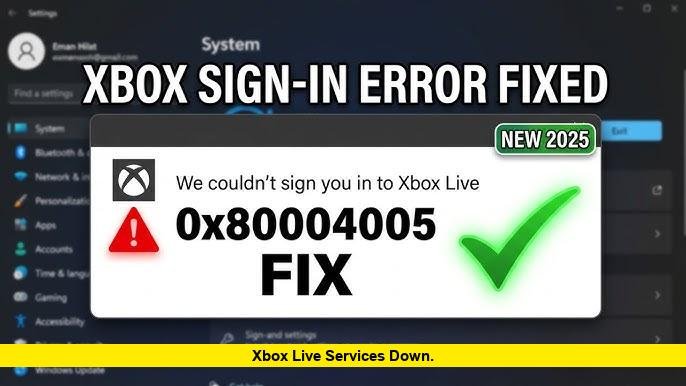

Xbox players are once again asking: Xbox Live Services down? Reports of login failures and connection issues have surged, with many users encountering the frustrating 0x80004005 error code while trying to access online services, multiplayer features, or even sign into their accounts.
What’s Happening with Xbox Live Services?
The Xbox network, a core part of online gaming for millions, occasionally experiences disruptions due to server outages, maintenance, or backend issues. Recent reports indicate that users are facing intermittent service problems, particularly related to account authentication and connectivity.
According to service monitoring platforms, Xbox Live generally remains operational but can experience temporary outages or degraded performance during peak usage or technical faults.
These disruptions can affect:
- Signing into Xbox accounts
- Launching digital games
- Accessing multiplayer services
- Using party chat or cloud gaming
0x80004005 Error: What It Means
One of the most commonly reported issues during these disruptions is the 0x80004005 error. This error is typically linked to account synchronization or Microsoft service communication problems.
Experts note that this error often occurs due to:
- Microsoft account sync issues
- Temporary server-side outages
- Corrupted cache or outdated system data
In many cases, the error prevents users from logging into Xbox Live entirely, making it appear as if the service is down even when the issue may be partial.
Is Xbox Live Down Right Now?
While widespread outages are not always officially confirmed immediately, spikes in user complaints and error reports often indicate temporary service disruptions rather than a full global outage.
Historically, Xbox Live outages vary in severity:
- Minor issues: Affect limited regions or services
- Major outages: Impact login, gaming, and store access simultaneously
Monitoring tools track dozens of such incidents over time, showing that even stable platforms like Xbox Live can experience occasional downtime.
Common Fixes for Xbox Live Connection Issues
If you’re facing the 0x80004005 error or similar problems, here are some quick troubleshooting steps:
1. Restart Your Console or PC
A simple restart can clear temporary glitches affecting connectivity.
2. Sign Out and Back In
Logging out of your account and signing back in can resolve sync issues.
3. Check Internet Connection
Ensure your network is stable and not blocking Xbox services.
4. Clear Cache
Power down your console completely and restart to refresh system cache.
5. Update System Software
Outdated apps or firmware can trigger login and connection errors.
6. Re-add Your Account
Removing and re-adding your Microsoft account can fix authentication problems.
These steps are widely recommended for resolving Xbox Live login and sync errors.
How to Check Xbox Live Status
To confirm whether the issue is on your end or a broader outage, you can:
- Visit the official Xbox status page
- Check real-time outage trackers
- Monitor social media for user reports
These sources help determine whether the problem is widespread or localized.
What Users Are Saying
Gaming communities frequently report similar issues during outages. Many players note that:
- Errors appear suddenly without warning
- Services may return within minutes or hours
- Offline mode sometimes works as a temporary workaround
This pattern suggests that most disruptions are short-lived but disruptive.
Final Thoughts
So, Xbox Live Services down? The answer often depends on timing. While the platform remains largely stable, temporary disruptions and 0x80004005 errors continue to affect users periodically.
If you’re unable to connect, it’s best to check the service status first before troubleshooting your device. In many cases, patience is key, as most outages are resolved quickly by backend fixes.