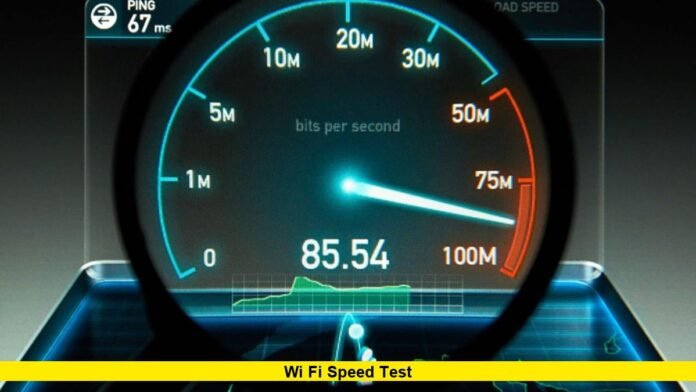

Running a wi fi speed test has become a daily habit for millions of Americans who rely on fast, stable internet for work, entertainment, education, and communication. As homes connect more devices than ever and new wireless technologies roll out nationwide, understanding your real internet speed is no longer just for tech experts. It is a practical step every user can take to ensure their connection delivers what they pay for.
In 2026, internet usage in the United States continues to grow, with higher-resolution streaming, cloud gaming, remote work platforms, smart home systems, and AI-powered applications all demanding more bandwidth and lower latency. At the same time, internet service providers are upgrading networks, routers are becoming more powerful, and operating systems are integrating built-in performance tools. All of these changes are shaping how users measure, interpret, and improve their wireless connections.
This comprehensive guide explains what a Wi-Fi speed test really measures, why results can vary, what recent technological developments mean for consumers, and how to get the most accurate picture of your home or office network.
What a Wi-Fi Speed Test Measures
A Wi-Fi speed test evaluates how quickly data travels between your device and a nearby testing server over your wireless network and internet connection. The main metrics include:
Download speed, which shows how fast data is received. This affects streaming quality, website loading, and file downloads.
Upload speed, which shows how fast data is sent. This is crucial for video calls, cloud backups, and live streaming.
Latency, often called ping, which measures the delay in communication. Lower latency improves online gaming, video conferencing, and real-time applications.
Some tests also report jitter and packet loss, which help identify network stability and consistency.
Together, these figures provide a snapshot of how your Wi-Fi and internet service are performing at a specific moment.
Why Speed Testing Matters in 2026
Internet connections now support far more activities than they did just a few years ago. Multiple 4K and 8K video streams, smart TVs, security cameras, voice assistants, gaming consoles, and remote work systems can all operate at the same time on a single home network.
A speed test helps users:
Confirm whether their internet plan delivers the advertised speeds
Identify slowdowns caused by router placement or interference
Detect network congestion during peak hours
Decide when an upgrade to a faster plan or newer router is justified
Troubleshoot buffering, lag, and dropped connections
For businesses, speed testing is equally important to ensure reliable video meetings, cloud access, and secure data transfers.
Built-In Speed Testing in Modern Devices
One of the most notable changes for U.S. users is the integration of network speed testing directly into operating systems. Recent versions of Windows now include a native option that allows users to check internet speed from the system interface without opening a browser or installing third-party tools.
This shift reflects a broader trend: internet performance monitoring is becoming a basic function of everyday devices, much like battery status or storage usage. The goal is to make connectivity diagnostics quick and accessible for all users, not just those who are technically inclined.
Smartphones, tablets, and routers are also adding built-in testing features, enabling users to check performance from anywhere in the home and identify weak coverage zones.
How New Wi-Fi Standards Affect Speed Results
Wireless technology continues to evolve, and the latest generation of routers and devices now support the newest Wi-Fi standards. These standards allow higher theoretical speeds, improved efficiency, and better handling of multiple connected devices.
While modern routers can deliver extremely fast local wireless speeds, your internet speed test results will still depend on your broadband plan and the quality of your connection to your provider’s network. A high-end router cannot exceed the maximum speed delivered to your home, but it can ensure that the available bandwidth is distributed more efficiently and with fewer drops.
New standards also reduce interference, improve performance in crowded apartment buildings, and allow smoother operation when many devices are active at the same time.
Understanding Why Results Vary
It is common for users to see different speed test results from one moment to the next. Several factors influence these variations:
Network congestion during evening hours when many people are online
Distance between your device and the router
Physical obstacles such as walls, floors, and furniture
Interference from neighboring Wi-Fi networks
Background downloads, streaming, or updates running on connected devices
Server distance and routing paths used by the test
Because of these variables, a single test does not tell the full story. Repeating tests at different times and locations provides a more accurate picture of overall performance.
How to Run an Accurate Wi-Fi Speed Test
To get reliable results, follow these proven steps:
Place your device in the same room as the router for one test, then in other rooms to check coverage.
Pause large downloads, streaming, and cloud backups before testing.
Disconnect devices that are not in use to reduce background traffic.
Run multiple tests and compare the average results.
Test both over Wi-Fi and with a wired Ethernet connection to see whether the wireless link or the internet service itself is the limiting factor.
By following these steps, users can identify whether slow speeds are caused by the ISP, the router, or the home environment.
What Speeds Are Considered Good in the U.S.
For most households in 2026, the following benchmarks provide a smooth experience:
50 to 100 Mbps download for basic streaming, browsing, and video calls
100 to 300 Mbps for multiple 4K streams, online gaming, and remote work
300 Mbps and above for large households, content creators, and heavy cloud users
Upload speeds of at least 20 Mbps support high-quality video conferencing and file sharing, while lower latency improves responsiveness for gaming and real-time collaboration tools.
Actual needs vary based on how many people use the connection and what they do online.
The Role of Routers and Placement
Even with a fast internet plan, poor router placement can limit Wi-Fi performance. Routers should be positioned:
Near the center of the home
Elevated rather than on the floor
Away from thick walls, metal objects, and large appliances
Clear of crowded corners and enclosed cabinets
Mesh Wi-Fi systems are increasingly popular in larger homes, as they provide consistent coverage and reduce dead zones. Speed testing in different rooms helps confirm whether coverage is even or if additional access points are needed.
Mobile and Hotspot Speed Testing
Many Americans now rely on mobile data and hotspots as primary or backup internet connections. Speed testing on smartphones helps users compare performance across locations, determine signal strength, and choose the best carrier in their area.
With mobile networks continuing to expand high-speed coverage, running regular tests ensures that users can maintain reliable connectivity for travel, remote work, and emergency situations.
Security and Privacy Considerations
Speed tests do not access personal content, but users should always run them on trusted platforms and ensure their devices are protected with up-to-date security software. Keeping routers updated with the latest firmware also helps maintain both performance and protection.
The Future of Speed Testing
As internet applications become more demanding and wireless standards continue to advance, speed testing tools will evolve to measure not just raw speed but also consistency, responsiveness, and quality of experience. Future tests may provide deeper insights into how networks handle video conferencing, cloud gaming, virtual reality, and other real-time services.
For consumers, this means more precise diagnostics and clearer guidance on how to optimize home and business networks.
Share your latest speed test results and experiences below, and stay tuned for more updates on how to get the best performance from your internet connection.