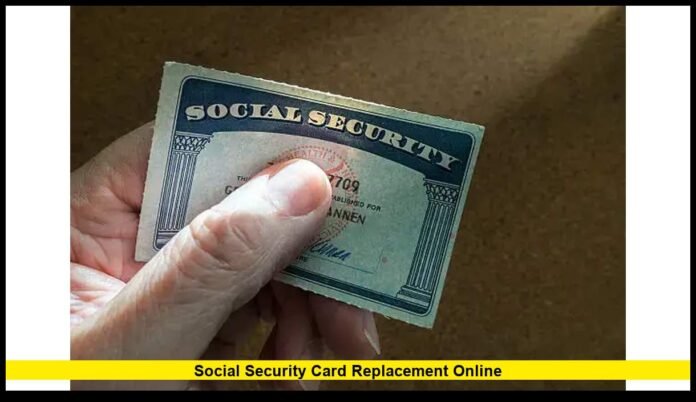

When it comes to social security card replacement online, the process has become more efficient and user-friendly than ever before. As of November 2025, the Social Security Administration (SSA) continues to expand its online services, allowing eligible U.S. citizens to replace their Social Security card entirely online without visiting a local office.
This article provides the most recent, verified information about how to replace your Social Security card online, who qualifies, what documents you need, how long it takes, and what limitations apply.
What’s New in 2025
In 2025, the SSA has made several enhancements to its social security card replacement online service. Citizens across nearly all states can now request a replacement card through their personal my Social Security account. The platform has been updated for smoother identity verification and quicker processing times.
Notable improvements include:
- Expanded state participation in the online service.
- Faster card processing, typically within 7–10 business days.
- Enhanced identity verification through digital validation systems.
- Clearer online prompts to reduce application errors.
These updates mean more Americans can handle their Social Security needs remotely, without needing to wait in line or mail original documents.
Eligibility Requirements for Online Replacement
Not everyone qualifies for a social security card replacement online. The SSA requires applicants to meet the following conditions:
- You must be a U.S. citizen aged 18 or older.
- You must have a U.S. mailing address (including military APO, FPO, or DPO addresses).
- You must have a driver’s license or state-issued ID from a participating state or the District of Columbia.
- You must have an active my Social Security online account.
- You must not be requesting any changes to your name, date of birth, place of birth, or gender.
If you do not meet these criteria, you’ll need to complete your request in person or by mail.
Step-by-Step: How to Replace Your Card Online
Replacing your Social Security card online is straightforward if you meet the eligibility requirements. Follow these steps carefully:
- Log in to your existing “my Social Security” account.
- Select the option that says “Replace your Social Security card.”
- Verify your identity by entering your personal details, including your name, SSN, date of birth, and identification number.
- Confirm your mailing address where the card will be sent.
- Submit your request and wait for confirmation that your replacement card is being processed.
If the SSA system detects missing or mismatched data, you may be asked to provide additional documentation or visit a local office.
Documents Required for Replacement
If you qualify for the online option, your identity is verified electronically through your driver’s license or state ID. However, if you must apply in person or by mail, the SSA will require the following documents:
- Proof of Identity: U.S. driver’s license, state-issued ID card, or U.S. passport.
- Proof of Citizenship: U.S. birth certificate or passport, if citizenship has not already been established.
- Form SS-5: Application for a Social Security Card (used for both replacements and corrections).
All documents must be originals or certified copies issued by the appropriate agency. Photocopies or notarized copies are not accepted.
Limits on Replacement Cards
The SSA limits how many replacement cards you can request:
- You may receive up to three replacement cards per year.
- You may receive a maximum of ten replacement cards in your lifetime.
Exceptions are made for legal name changes or changes in work authorization status, which do not count toward these limits.
Processing Time and Cost
A major benefit of the online service is its efficiency. Once your request is approved, your replacement card is usually mailed within 7 to 14 business days. The SSA processes these applications quickly, especially for users whose identity is verified digitally.
It’s important to note that the replacement card is free. The SSA never charges for issuing or replacing a Social Security card. Be cautious of third-party websites or companies that claim to expedite your replacement for a fee—these services are unnecessary and often misleading.
Benefits of Replacing Your Card Online
The online process offers several advantages for users:
- Convenience: No need to visit an office or mail original documents.
- Speed: Applications are typically processed faster online.
- Security: You manage your information directly through your secure SSA account.
- Accessibility: You can complete the process from anywhere in the U.S. with internet access.
This digital transformation aligns with the SSA’s ongoing effort to modernize its systems and improve accessibility for the public.
When You Cannot Replace Your Card Online
Some situations still require in-person verification or mailed documentation. You cannot use the online replacement process if:
- You need to change your name, date of birth, or other identifying information.
- You do not have a valid driver’s license or state-issued ID from a participating state.
- You are not a U.S. citizen.
- You have no fixed U.S. mailing address.
- Your state is not yet included in the SSA’s online verification network.
In these cases, you’ll need to visit your local SSA office or mail your completed application with the required documentation.
Tips for a Successful Application
- Double-check your information before submitting to avoid delays.
- Use only the official SSA website to prevent fraud or phishing attempts.
- Do not carry your Social Security card in your wallet daily. Keep it in a secure place to reduce the risk of loss or identity theft.
- Create strong passwords and enable multi-factor authentication for your SSA account.
If your card is lost or stolen, monitor your credit reports and bank accounts for suspicious activity, as your SSN can be a target for identity theft.
Frequently Asked Questions (FAQ)
Q1. How can I replace my Social Security card online?
If you are eligible, log in to your “my Social Security” account and follow the prompts to request a replacement card.
Q2. How long does it take to receive my new card?
Most replacement cards arrive by mail within 7–14 business days after the SSA approves your request.
Q3. Is there a fee to replace my Social Security card?
No. The replacement card is completely free when requested directly through the SSA.
Q4. What if I lost my card but remember my Social Security number?
You usually don’t need to show the physical card for most purposes. Your SSN is sufficient for tax, employment, and financial verification.
Q5. Can I replace my child’s card online?
No. At this time, parents or guardians must apply in person or by mail to replace a child’s card.
Q6. Can I request multiple replacement cards?
You are limited to three per year and ten in your lifetime, except in cases of name or legal status changes.
Q7. What should I do if my card was stolen?
Report it to the SSA immediately. Monitor your credit report and bank statements for unusual activity.
Q8. Does a replacement card have a new number?
No. Your Social Security number remains the same. The replacement only provides a new copy of your card.
Disclaimer
This article is intended for informational purposes only. It summarizes the latest publicly available details on how to replace your Social Security card online as of November 2025. While every effort has been made to ensure accuracy, readers should verify specific eligibility and requirements through the official Social Security Administration channels before applying.
Final Thoughts
The social security card replacement online process is one of the SSA’s most helpful modern services. It’s fast, secure, and convenient for millions of Americans who need to replace a lost or damaged card. If you meet the eligibility requirements, the online system is the easiest and safest way to get your replacement card without ever leaving home.
Have you used the online replacement service recently? Share your experience or questions in the comments below — your insight could help others navigate the process more smoothly.