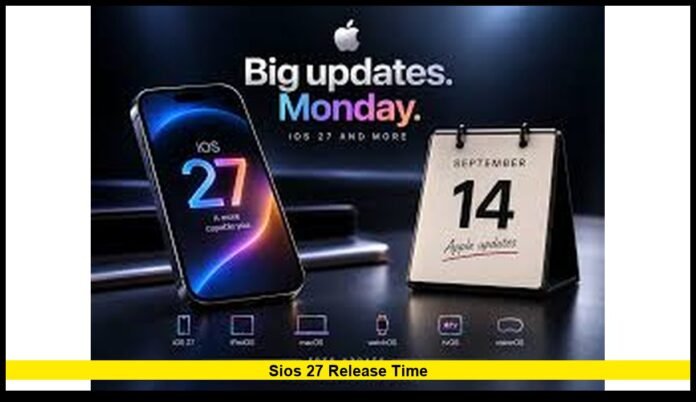

Apple’s newest iPhone software is arriving today, September 14, 2026, giving millions of U.S. users access to a major software upgrade. Apple has confirmed the release date, but it has not officially announced an exact clock time for the rollout. Based on Apple’s established release pattern, the update is expected to become available around 10 a.m. Pacific Time, which translates to 1 p.m. Eastern Time.
That expected window makes Monday afternoon important for iPhone owners across the United States. Pacific Time users should watch for the update around 10 a.m., while those in the Central and Eastern time zones can expect it around noon and 1 p.m., respectively.
The release also marks an important step for Apple’s artificial intelligence strategy. The new software introduces a significantly upgraded Siri experience alongside additional Apple Intelligence tools, interface changes, performance improvements and new capabilities across several built-in apps.
When Will the New iPhone Software Arrive in the U.S.?
Apple has confirmed September 14 as the public release date. The company has not listed a specific release hour on its official software page.
Apple’s major iPhone software updates have traditionally appeared around the same time of day. That pattern points to approximately 10 a.m. Pacific Time as the likely starting point.
For U.S. users, the expected schedule is:
| U.S. time zone | Expected release window |
|---|---|
| Pacific Time | Around 10 a.m. |
| Mountain Time | Around 11 a.m. |
| Central Time | Around noon |
| Eastern Time | Around 1 p.m. |
These times should be treated as an expected rollout window rather than a guaranteed appointment.
Apple controls the final distribution process, so the update could appear slightly earlier or later. Users also may not all see it at precisely the same moment.
Apple Has Confirmed the Date, Not the Exact Hour
One of the most important details surrounding the launch is the difference between the confirmed date and the expected time.
September 14 is official.
The specific 10 a.m. Pacific or 1 p.m. Eastern timing comes from Apple’s normal software-release pattern and current rollout tracking. Apple has not stated that every compatible iPhone will receive the update at exactly that minute.
That distinction is especially important for users who expect the update to appear immediately.
If an iPhone does not show the new software at 10 a.m. Pacific, there is no reason to assume something has gone wrong. The update can take additional time to appear.
Apple is distributing the software globally. Millions of people will be checking for the update at roughly the same time, which can also create heavy demand.
How to Check for the Update
The update can be found through the iPhone’s normal software-update menu.
Users should:
- Open Settings.
- Select General.
- Tap Software Update.
- Allow the phone to check for available software.
- Select the new update when it appears.
- Follow the instructions shown on the screen.
The process may take some time depending on the device, internet connection and demand on Apple’s servers.
A strong Wi-Fi connection is recommended. Keeping the iPhone connected to power during installation is also a sensible step, especially when the battery is not fully charged.
Users should also make sure the device has enough free storage before starting a major operating-system upgrade.
Why So Many Users Are Watching the Release Window
The annual iPhone software launch has become one of Apple’s biggest software events.
Millions of compatible devices can begin requesting the same update within a relatively short period. That can place considerable demand on Apple’s download infrastructure.
A user may therefore see a delay even after the expected release hour arrives.
Download speeds can also vary. Some users may complete the installation quickly, while others may spend considerably longer downloading and preparing the software.
For people who do not need the update immediately, waiting until later in the day can provide a less crowded installation experience.
Those who want the new features as soon as possible should simply check the Software Update screen after the expected launch window.
Which iPhones Can Install the New Software?
Apple is maintaining broad compatibility with its latest iPhone operating system.
The supported lineup begins with the iPhone 11 family and includes newer generations. The second-generation iPhone SE and newer SE models are also supported.
Compatible models include:
- iPhone 11
- iPhone 11 Pro
- iPhone 11 Pro Max
- iPhone 12
- iPhone 12 mini
- iPhone 12 Pro
- iPhone 12 Pro Max
- iPhone 13
- iPhone 13 mini
- iPhone 13 Pro
- iPhone 13 Pro Max
- iPhone 14
- iPhone 14 Plus
- iPhone 14 Pro
- iPhone 14 Pro Max
- iPhone 15
- iPhone 15 Plus
- iPhone 15 Pro
- iPhone 15 Pro Max
- iPhone 16
- iPhone 16 Plus
- iPhone 16 Pro
- iPhone 16 Pro Max
- iPhone 16e
- iPhone 17
- iPhone 17e
- iPhone Air
- iPhone 17 Pro
- iPhone 17 Pro Max
- iPhone 18 Pro
- iPhone 18 Pro Max
- iPhone Duo
- iPhone SE (2nd generation and later)
While the operating system supports a large number of devices, the feature list is not identical across every model.
The most demanding Apple Intelligence capabilities require newer hardware.
Siri Receives the Biggest Upgrade
The redesigned Siri experience is one of the biggest reasons users are watching this release.
Apple is introducing a more capable AI-based Siri designed to handle more natural requests and more complicated tasks.
The assistant can understand conversational requests more effectively and is designed to work with information available across supported parts of the iPhone.
Users can interact with Siri through speech or typing.
The new experience is particularly important because Apple has been working to make Siri more useful for tasks that go beyond simple commands.
The company is positioning the new assistant as a more personalized and capable part of the iPhone experience.
The initial rollout begins in English, with additional languages planned for later availability.
Apple Intelligence Expands Across the iPhone
The new software also extends Apple Intelligence into more parts of the iPhone experience.
Photos receives additional AI-powered editing capabilities. Apple is introducing tools that can change the framing and composition of images while also improving existing cleanup functions.
Visual Intelligence receives further improvements as well.
These features allow compatible iPhones to analyze information visible through the camera or on-screen content and provide useful assistance based on what the user is viewing.
Apple is also expanding AI capabilities in Shortcuts, giving users more ways to create automated actions using natural-language instructions.
The result is a broader role for artificial intelligence throughout the operating system rather than limiting it to a single assistant.
Not Every iPhone Gets Every AI Feature
Compatibility with the operating system does not automatically mean compatibility with every Apple Intelligence function.
This is an important distinction for owners of older iPhones.
The operating system itself reaches back to the iPhone 11 generation, but the most advanced AI features require newer hardware.
Apple’s newer devices have the processing capabilities needed for demanding on-device artificial intelligence functions.
As a result, two iPhones running the same software can offer different feature sets.
Users should therefore check their exact model before expecting every advertised AI feature to appear.
Liquid Glass Gets More Customization
The operating system continues Apple’s Liquid Glass design direction.
The company is adding more flexibility to the interface, including controls that let users adjust the appearance of the visual effects.
A new opacity-related control gives users more influence over how transparent or frosted interface elements appear.
Apple is also refining icons and other visual elements throughout the system.
The changes are designed to make the interface feel more consistent while giving users additional control over how the new design appears.
The update also introduces additional customization options for widgets and the Lock Screen.
More Lock Screen Customization Arrives
The Lock Screen receives further customization options.
Users can change the appearance of the clock and adjust how much space it occupies.
The system also supports larger widget options, giving users more ways to arrange information on the Lock Screen and Home Screen.
These additions continue Apple’s gradual move toward greater personalization.
Instead of providing a single fixed interface, the software gives users more control over how information is displayed.
Maps Receives an Enhanced Visual Experience
Maps is another area receiving an upgrade.
Apple is expanding its use of aerial imagery and Visual Intelligence to create more detailed views.
The updated experience is designed to make certain locations easier to understand visually.
The changes are part of Apple’s broader effort to incorporate intelligence and richer visual information into its built-in applications.
Home Gets Smarter With Apple Intelligence
Apple is also adding intelligence features to the Home app.
The system can organize related activity notifications and help users understand selected HomeKit Secure Video footage.
Users can also search supported security-camera recordings using descriptions of events.
Compatible HomeKit Secure Video cameras can now support 4K streaming and recording.
These capabilities depend on compatible hardware and services, so not every smart-home setup will receive the complete feature set.
New Fitness Capabilities Come to iPhone
GymKit is also expanding onto iPhone.
The feature allows compatible cardio equipment, including treadmills, ellipticals, bikes and stair-steppers, to connect with the iPhone for real-time workout information.
Apple is also integrating heart-rate tracking with AirPods Pro 3 for supported workouts.
These changes make the iPhone more useful as a central fitness device.
Compatibility with gym equipment remains important, however. The availability of the experience depends on whether the equipment supports the required technology.
AirPods Receive More Audio Control
The software update also adds additional AirPods customization.
Users can adjust low, mid and high frequencies through AirPods settings when using compatible AirPods.
That gives listeners more control over the sound profile without relying entirely on preset audio options.
The feature adds another layer of personalization to Apple’s connected-device ecosystem.
What Users Should Do Before Installing
A little preparation can make the installation easier.
Before starting the update, users should consider these steps:
- Back up important iPhone data.
- Connect the device to Wi-Fi.
- Charge the battery.
- Check available storage.
- Make sure important information has been backed up.
- Keep the phone connected to power during installation when possible.
A backup is particularly useful before any major operating-system upgrade.
Although Apple designs its update process to preserve user information, maintaining a recent backup gives users an additional layer of protection.
What If the Update Does Not Appear?
The most important thing is not to assume there is a problem immediately.
Apple has confirmed the September 14 launch, but it has not promised a precise release minute.
If the update does not appear at the expected time, users can return to Settings > General > Software Update and check again later.
The rollout may also experience periods of heavy demand.
A large number of simultaneous downloads can affect how quickly users receive or install the software.
Waiting a short period can therefore be more effective than repeatedly restarting the phone or changing settings.
The Most Important Time for U.S. Users
For Americans waiting for the new software, the expected schedule is easy to remember.
The Pacific Time window is around 10 a.m.
Mountain Time follows at approximately 11 a.m.
Central Time users should look around noon.
Eastern Time users should check around 1 p.m.
Those times represent the expected launch window, not a guarantee from Apple.
The exact moment can vary as the worldwide rollout begins.
What Makes This Release Significant
This is more than a routine maintenance update.
The new software expands Apple’s artificial intelligence strategy while continuing to develop the visual design introduced in the previous major release.
Siri receives a substantial overhaul. Photos gains new AI editing tools. Visual Intelligence becomes more capable. Home receives additional intelligence features. Maps gets richer visual information, while personalization options expand across the interface.
At the same time, Apple has kept compatibility broad.
That means a large number of existing iPhone owners can install the new operating system without buying a new device.
However, newer hardware remains important for the most advanced AI capabilities.
The Bottom Line
Apple has confirmed that the new iPhone operating system is available starting September 14, 2026. For U.S. users, the expected rollout begins around 10 a.m. Pacific Time, with availability expected around noon Central Time and 1 p.m. Eastern Time.
Apple has not officially published a precise release hour, so users should treat those times as an expected window rather than a guaranteed launch appointment.
Once the update appears, it can be installed through Settings, General and Software Update.
The release brings a redesigned Siri experience, expanded Apple Intelligence capabilities, additional customization, smarter built-in apps and new features for compatible devices.
For anyone waiting to upgrade, checking around the expected afternoon window on the East Coast should provide the best chance of finding the update as the rollout begins.
Are you planning to install the new update right away? Share your thoughts and keep checking back for the latest confirmed developments.