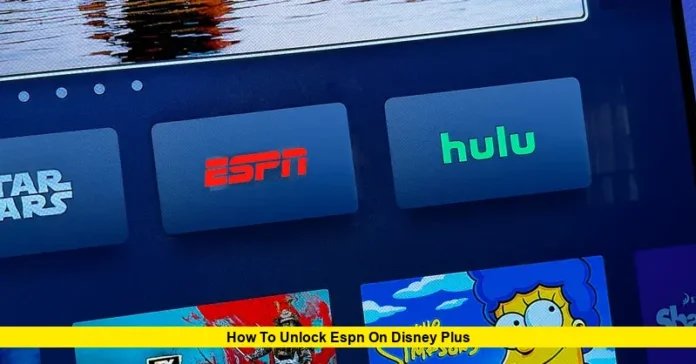

How to unlock ESPN on Disney Plus is one of the most searched questions among U.S. sports fans as Disney continues integrating its streaming platforms into a single ecosystem. With major changes to ESPN’s direct-to-consumer model and the expansion of Disney bundles, accessing live sports now depends on having the correct subscription setup. This guide explains, step by step, exactly how ESPN access works inside Disney Plus today, what plans are required, and how to activate everything properly.
Why ESPN Is Not Automatically Available on Disney Plus
Disney Plus and ESPN operate as connected but separate services. While Disney Plus focuses on entertainment, movies, and series, ESPN delivers live sports channels, studio shows, and premium events. Because live sports rights are licensed differently, ESPN content is not included in the standard Disney Plus base plan.
In 2025, ESPN launched its new direct-to-consumer service, expanding beyond the older ESPN+ model. As of 2026, viewers must have either an ESPN Unlimited subscription or a Disney bundle that includes ESPN Unlimited in order to stream live ESPN channels and premium sports content through the Disney ecosystem.
Without one of these plans, the ESPN section inside Disney Plus will either be hidden or locked.
What Subscriptions Unlock ESPN on Disney Plus
To unlock ESPN on Disney Plus in the United States today, your account must include one of the following:
1. Disney Plus, Hulu, and ESPN Unlimited Bundle
This is the most common and cost-effective option. The bundle links all three services under one account and allows ESPN content to appear directly inside the Disney Plus interface. Two versions are available:
- Ad-supported Disney Plus and Hulu with ESPN Unlimited
- Ad-free Disney Plus and Hulu with ESPN Unlimited
Once subscribed, the ESPN hub becomes active inside Disney Plus and allows access to live games, sports news, and original programming.
2. ESPN Unlimited Standalone Subscription
You can also subscribe to ESPN Unlimited separately. While this primarily works through the ESPN app, your Disney Plus account can recognize the subscription if both services use the same login credentials. This allows the ESPN section to unlock within Disney Plus on supported devices.
3. TV Provider Credentials That Include ESPN
Some cable and live TV streaming providers still grant ESPN access when you sign in using your provider login. If your provider is properly linked, Disney Plus may recognize the entitlement and unlock ESPN content.
How to Unlock ESPN on Disney Plus Step by Step
Step 1: Verify Your Subscription
Log into your Disney account and confirm that your plan includes ESPN Unlimited or a qualifying Disney bundle. If you only have a basic Disney Plus plan, ESPN will remain locked.
Step 2: Use the Same Email Across Services
Make sure the email and password you use for Disney Plus are the same ones tied to your ESPN or bundle subscription. Mismatched credentials are the most common reason ESPN fails to appear.
Step 3: Update the Disney Plus App
Install the latest version of the Disney Plus app on your phone, TV, tablet, or streaming device. The ESPN hub only appears on updated versions of the platform interface.
Step 4: Locate the ESPN Hub
Open Disney Plus and look for:
- The ESPN logo on the top navigation bar, or
- A “Sports” category in the menu
If your plan qualifies, this section will become visible automatically.
Step 5: Verify Your Account Connection
Some users may see a “Verify Account” option in their Disney Plus settings. Completing this process syncs Disney Plus with ESPN Unlimited and activates full access.
Step 6: Start Streaming
Once unlocked, selecting any live game or ESPN program will play directly inside Disney Plus or launch the integrated ESPN player within the app.
What You Can Watch After Unlocking ESPN
After successful activation, Disney Plus users gain access to:
- Live ESPN, ESPN2, and related networks
- Major U.S. sports including NFL, NBA, MLB, NHL, college football, and college basketball
- Studio shows like SportsCenter, First Take, and debate programming
- Exclusive documentaries and original series
- Select international sports and special events
Availability depends on your exact subscription tier and regional broadcast rights.
Troubleshooting Common Problems
ESPN Hub Not Showing
- Confirm your plan includes ESPN Unlimited
- Log out and log back in
- Update the app
- Restart your device
Content Locked Despite Subscription
- Check that your billing is active
- Ensure the same email is used for all Disney services
- Re-verify your account inside settings
Playback Errors
- Test streaming in the ESPN app directly
- Check your internet connection
- Disable VPNs that may block regional rights
Why Disney Is Pushing Unified Streaming Access
Disney’s long-term strategy is to centralize entertainment and sports into one platform experience. The ESPN hub inside Disney Plus reflects this shift, making it easier for users to move between movies, shows, and live sports without switching apps. However, subscription entitlements still control what unlocks.
As of now, live ESPN remains a premium tier, not part of the basic Disney Plus library.
Final Thoughts
Knowing how to unlock ESPN on Disney Plus ensures you don’t miss live games, playoffs, or breaking sports coverage. The process is simple once the correct subscription is in place: choose the right bundle, sync your accounts, verify your app, and the ESPN hub becomes fully accessible.
Want more streaming guides and real-time updates? Stay connected and join the conversation by checking back often or sharing your experience below.