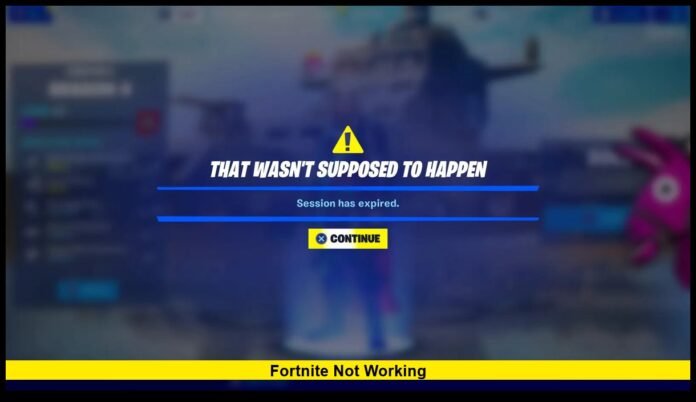

Gamers across the United States are once again asking one question today: why is Fortnite not working? The popular online game is currently facing connection issues and widespread login failures as Epic Games rolls out its latest round of server maintenance and seasonal updates.
Many players have reported problems joining matches, accessing the item shop, or even logging into their accounts. While downtime and errors can be frustrating, they usually signal that Epic is updating the game with new content or bug fixes.
As of November 26, 2025, Fortnite is temporarily offline for scheduled updates, but service is expected to return soon once maintenance is complete.
What’s Going On With Fortnite Today
If you’ve tried to play and noticed loading loops or connection errors, you’re not alone. The game’s servers are currently unavailable while Epic Games performs backend maintenance tied to its latest patch release.
When Fortnite goes offline, several game systems pause at once:
- Matchmaking is disabled
- Login requests fail to connect
- Party services and chat may go down
- The item shop becomes unavailable
Epic uses these maintenance windows to optimize performance, implement content changes, and correct issues identified since the last update.
While this means players can’t log in right now, the downtime usually doesn’t last more than a few hours — and often results in smoother gameplay once the servers come back online.
Common Error Messages Players Are Seeing
When Fortnite isn’t working, players typically see one of several recurring error messages. These vary by platform but generally mean the servers are offline or communication between your game and Epic’s backend is interrupted.
The most frequent messages include:
- “Servers Offline”
- “Unable to Login”
- “ESP-BUIMET-003”
- “Matchmaking Error”
- “Connection Timed Out”
If you see one of these, there’s usually no need to reinstall or restart endlessly — it’s a global issue affecting all players until maintenance ends.
Why Fortnite Experiences Downtime
It’s easy to forget that Fortnite operates on a massive infrastructure serving millions of users across PC, console, and mobile. Scheduled downtime allows Epic Games to perform essential work behind the scenes.
Here are the main reasons downtime occurs:
1. New Season or Chapter Rollouts
Fortnite transitions between seasons several times per year, introducing new maps, events, and storylines. These transitions always involve a full shutdown to apply large-scale updates safely.
2. Content Patches and Hotfixes
Smaller maintenance sessions address bugs or balance adjustments, like weapon tuning or gameplay fixes.
3. Security Updates
Fortnite relies on a large network of servers and databases. Maintenance periods often include important security and anti-cheat improvements.
4. Backend Maintenance
Sometimes, downtime isn’t about new content at all — it’s routine work to keep servers efficient and stable.
5. Unexpected Technical Issues
On rare occasions, Fortnite goes down unexpectedly due to cloud network disruptions or overloads during live events.
Even though downtime interrupts gameplay, these updates are vital for keeping Fortnite smooth and secure for all users.
Signs That Downtime Is Happening
Most experienced players recognize the signs that Fortnite is about to go offline. Some of the earliest indicators include:
- Long matchmaking queues
- Slow or missing lobby menus
- Unresponsive item shop sections
- Sudden logout from active sessions
- A “Scheduled Maintenance” banner on startup
When these warning signs appear, it’s usually a signal that servers are about to shut down for an update.
How to Check Fortnite’s Live Status
If you’re unsure whether Fortnite is down globally or if the problem is local to your device, there are quick ways to verify it.
1. Check the Fortnite Status Page
Epic maintains a live service dashboard that displays real-time server conditions for login, matchmaking, and store systems.
2. Monitor Social Channels
Fortnite’s verified pages post official downtime alerts, completion notices, and expected recovery times.
3. In-Game Notices
The Epic Games Launcher or console notification screen will often show “Maintenance in Progress” before servers go offline.
4. Check Community Reports
Gaming forums and platforms like Reddit fill up quickly with player reports whenever major issues arise.
If all of these confirm downtime, the best move is to wait it out — maintenance sessions are temporary and typically announced in advance.
What’s Being Updated Right Now
Although Epic hasn’t released the full patch notes yet, the current maintenance is linked to the ongoing Chapter 5 content cycle. Early reports suggest updates to gameplay balance, map adjustments, and new themed cosmetics are part of the rollout.
Expected updates include:
- Visual enhancements for console and PC
- Weapon rebalancing for improved competitive play
- Limited-time event preparation
- Fixes for known matchmaking and inventory glitches
- Seasonal Battle Pass content refresh
Whenever major updates are applied, Epic uses downtime to synchronize data across its global network, ensuring all players receive the same changes simultaneously.
How Long Will Fortnite Stay Down
The duration of Fortnite downtime depends on the scale of the update. Smaller patches usually take two to three hours to complete, while chapter transitions or large events may require up to six hours.
Epic typically begins maintenance early in the morning (around 3–5 a.m. Eastern Time) to minimize disruption for U.S. players. Once the work is done, the servers gradually reopen region by region.
If you try logging in right as Fortnite returns, you might encounter brief login queues while Epic balances player traffic. Waiting a few extra minutes after the servers go live often ensures a smoother re-entry.
What You Can Do While Fortnite Is Down
Downtime doesn’t have to be wasted time. Here are a few productive things players can do while waiting for the servers to return:
- Update Your System: Make sure your console, PC, or mobile OS is current to avoid post-update errors.
- Check Your Network: Restart your router or test connection speed to ensure smooth gameplay once Fortnite is live again.
- Clean Up Storage: Free up disk space for new patches, especially on consoles with limited capacity.
- Review Patch Notes: Once they’re released, skim through new changes to prepare for gameplay adjustments.
- Plan Your Loadouts: Think about which skins, gliders, and pickaxes you’ll showcase first when you return.
Taking these steps means you’ll be ready to jump right into the action the moment Fortnite’s servers come back online.
Fixing Local Issues When Fortnite Fails to Load
Sometimes, Fortnite doesn’t work even when servers are online. If that’s the case, the problem could be device-specific. Here’s how to troubleshoot it:
1. Restart the Game and System
Completely close Fortnite and reboot your PC or console to clear cached errors.
2. Verify Game Files
PC players can use the Epic Games Launcher to check for missing or corrupted files.
3. Check for Updates
Outdated versions often cause connection errors. Install the latest patch before launching.
4. Reset Router or Switch Networks
Connectivity issues can often be solved by restarting your router or using a wired connection.
5. Clear Temporary Files
Deleting unnecessary local cache files prevents login and version mismatch errors.
6. Reinstall as a Last Resort
If nothing works, a clean reinstall of the game ensures you’re running the most stable version available.
The Bigger Picture Behind Fortnite’s Maintenance
Fortnite’s development scale is massive — with millions of players online at any given moment. Regular maintenance isn’t just about adding content; it’s about sustaining a stable ecosystem where gameplay remains fair and responsive.
These updates support:
- Smoother cross-platform performance
- Protection against hacks or exploits
- Compatibility with new hardware and graphics systems
- A continuous flow of seasonal content and collaborations
Epic’s consistent approach has helped Fortnite remain one of the most successful live-service games in history. Every maintenance window ensures that the experience stays fresh, secure, and enjoyable for both casual and competitive players.
When Servers Usually Return
For U.S. players, servers typically return by late morning or early afternoon on patch days. Once Epic completes backend checks, the game will prompt you to download a small update file.
If Fortnite remains inaccessible after updates are complete, restarting your system or verifying your connection usually resolves the issue.
After major patches, players should expect slightly longer matchmaking times as Epic gradually increases server capacity. Within an hour or two, everything typically returns to normal.
What to Expect After Maintenance Ends
When Fortnite comes back online, players can expect several immediate updates and visual changes. These include:
- A new “What’s New” splash screen summarizing added features
- Updated map locations and quest markers
- A refreshed item shop with limited-time bundles
- Event teasers and countdowns for upcoming collaborations
Once you log in, check your settings to ensure performance mode or display preferences haven’t reset — a common side effect after big patches.
Final Thoughts
If you’re finding Fortnite not working right now, don’t panic — it’s part of Epic’s ongoing process to keep the game secure, stable, and packed with new content.
Servers are temporarily offline for maintenance, but they’ll be back soon with updated features, gameplay improvements, and exciting new events to explore.
Have you noticed new changes or features once Fortnite comes back online? Share your experience in the comments below and let other players know how your game is running today.