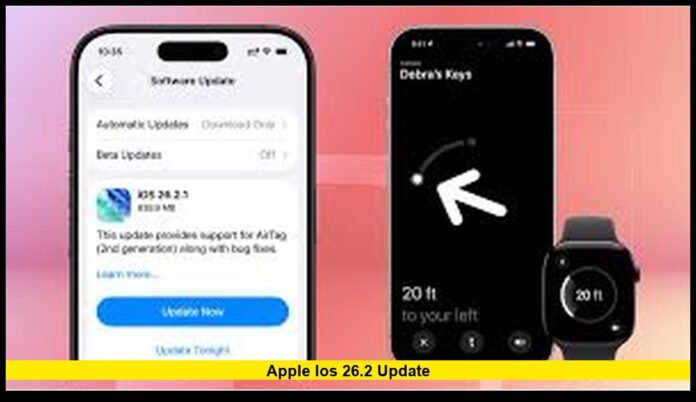

The apple ios 26.2 update is now available for iPhone users across the United States, delivering a wide range of security enhancements, performance improvements, and system refinements designed to keep devices running smoothly and safely. As part of Apple’s ongoing commitment to stability and user privacy, this release focuses on strengthening core features, improving everyday usability, and ensuring compatibility with the latest hardware and services.
A Focus on Security and System Stability
One of the most important aspects of iOS 26.2 is its extensive set of security patches. Apple addressed multiple vulnerabilities that affected key components of the operating system, including the web browser engine, system frameworks, and app-level protections.
These fixes reduce the risk of malicious software exploiting system weaknesses and improve overall data protection. By closing these gaps, Apple strengthens safeguards around personal information, biometric authentication, and encrypted communications.
Security updates also enhance the reliability of background processes, ensuring that system services run as intended without unexpected interruptions. This is especially important for users who rely on their iPhones for banking, work communication, and secure authentication.
Performance Improvements Across Supported Devices
The iOS 26.2 update includes refinements that improve speed and responsiveness across a wide range of iPhone models. Users may notice faster app launches, smoother animations, and reduced lag when switching between tasks.
Memory management has also been optimized. This allows the system to better handle multiple apps running at the same time, reducing slowdowns and improving overall multitasking performance. Older supported devices, in particular, benefit from these behind-the-scenes enhancements.
Battery efficiency received attention as well. The system now more accurately monitors background activity and adjusts power usage to help extend battery life during heavy use.
Refined Design and Visual Enhancements
iOS 26 introduced a new visual style that emphasizes depth, transparency, and fluid motion. The 26.2 update continues refining this look with smoother transitions and improved visual consistency across system menus.
The Control Center and notification panels appear more responsive, with subtle animations that make navigation feel natural and polished. Lock screen interactions also feel more fluid, especially when accessing widgets and quick controls.
Customization options remain a highlight. Users can choose from different appearance modes that adjust brightness, contrast, and translucency, allowing the interface to better suit various lighting conditions and personal preferences.
Improved Connectivity and Network Reliability
Apple made adjustments in iOS 26.2 to enhance Wi-Fi and cellular stability. These changes aim to reduce dropped connections, improve handoff between networks, and ensure more reliable data transfers during streaming, video calls, and cloud synchronization.
Bluetooth performance has also been fine-tuned. Pairing with accessories such as wireless headphones, smartwatches, and vehicle systems is faster and more stable, reducing delays and connection errors.
These improvements are especially noticeable for users in areas with fluctuating signal strength, where the system now adapts more efficiently to changing network conditions.
Enhanced Support for New Accessories
iOS 26.2 and its follow-up maintenance release expanded compatibility with the latest generation of Apple accessories. This includes improved tracking accuracy, louder and clearer alert sounds, and more precise location features for supported devices.
The system also introduces better integration between hardware and software, ensuring that new accessories work seamlessly with existing apps and system services from the moment they are paired.
This level of optimization helps maintain a consistent experience across the Apple ecosystem, whether users are tracking personal items, managing smart home devices, or syncing data between products.
Updates for Older iPhone Models
In addition to the main release, Apple provided parallel updates for older versions of iOS running on devices that cannot support iOS 26. This ensures continued access to essential services such as messaging, calling, and app compatibility.
By maintaining support for legacy devices, Apple helps extend their usable life while keeping them protected against known security threats. This approach also ensures that users with older iPhones can continue to communicate securely with those on newer models.
System Apps and Feature Refinements
Several built-in apps received subtle but meaningful improvements in iOS 26.2:
- Messages: Improved reliability for multimedia sharing and better handling of large conversations.
- Safari: Enhanced stability, faster page loading, and improved protection against malicious web content.
- Photos: Smoother scrolling in large libraries and more responsive editing tools.
- Settings: Clearer layout and faster search results, making it easier to locate specific options.
These refinements make daily interactions more efficient and reduce friction when performing common tasks.
Privacy and Data Protection Enhancements
Privacy remains a central focus of the iOS platform, and version 26.2 strengthens this commitment. The update improves how apps request and manage permissions, giving users clearer control over access to location, camera, microphone, and personal data.
Background activity monitoring has been enhanced to limit unnecessary data usage and prevent apps from accessing information when not actively in use. This not only protects privacy but also helps conserve battery life.
Why the Apple iOS 26.2 Update Matters
Installing the apple ios 26.2 update is important for several reasons:
- Stronger security through patched vulnerabilities and improved system defenses.
- Better performance with faster responsiveness and optimized memory handling.
- Improved reliability for connectivity, battery usage, and accessory integration.
- Ongoing compatibility with the latest Apple services and devices.
Together, these improvements ensure that iPhones remain secure, efficient, and ready for future software advancements.
How to Install the Update
To install iOS 26.2, users can follow these steps:
- Open the Settings app.
- Tap General.
- Select Software Update.
- Download and install the latest available version.
It is recommended to connect the device to Wi-Fi and a power source before starting the update. Backing up important data beforehand is also a good practice.
What to Expect Going Forward
Apple continues to refine the iOS 26 platform with regular updates that focus on security, performance, and new features. Future releases are expected to build on the foundation laid by version 26.2, introducing additional improvements to messaging, accessibility, and system intelligence.
For now, iOS 26.2 represents a significant step forward in keeping iPhones secure, fast, and reliable for everyday use.
Stay tuned for future updates and share your experience with the latest iOS version in the comments below.