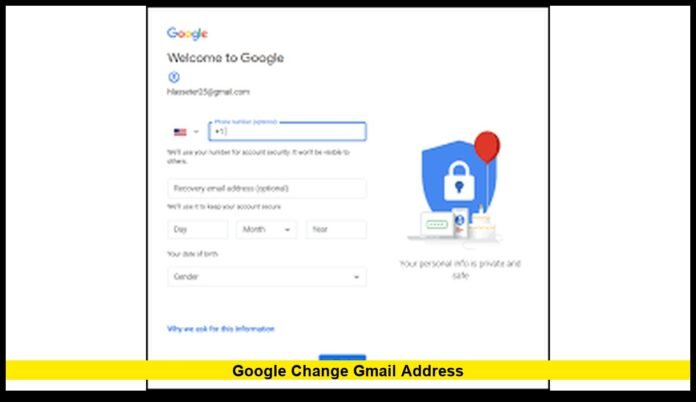

Google change Gmail address is now a defining update in the evolution of Gmail, transforming how users manage their long-term digital identity. For the first time since Gmail became a core part of daily online life, users can adjust their primary @gmail.com address without abandoning their account or losing years of emails, files, and linked services. This development directly affects millions of users in the United States who rely on Gmail for work, education, banking, and personal communication.
For years, Gmail addresses were permanent by design. What once seemed like a sensible technical decision later became one of Gmail’s most criticized limitations. The latest update marks a turning point, giving users flexibility while preserving security and continuity.
Why Gmail Address Permanence Became a Problem
When Gmail launched, email addresses were treated as fixed identifiers. Google built its ecosystem around the idea that a single email would follow a user for life. This approach simplified authentication and service integration, but it failed to account for how much people change over time.
Many users created Gmail accounts in their teenage years. Others signed up quickly without considering long-term consequences. Over time, those addresses became tied to resumes, professional accounts, and official records. The inability to correct or refine an address left users stuck with outdated identities.
This rigidity stood in contrast to a digital world where personal branding, career mobility, and privacy expectations constantly evolve.
What the Google Change Gmail Address Update Introduces
The new update introduces a controlled way for users to modify the username portion of their @gmail.com address. Rather than forcing users to create a new account, Google allows a direct change while keeping the underlying account intact.
This update does not create a second account or split data. Instead, it reshapes how the existing account is labeled and recognized across Google services.
Key elements of the update include:
- The ability to select a new Gmail username if available
- Preservation of all emails, files, and account history
- Continued delivery of emails sent to the old address
- No disruption to Google services tied to the account
This approach ensures continuity while finally addressing a long-standing user request.
What Remains Unchanged After a Gmail Address Change
A major concern for users is whether changing a Gmail address affects stored data or access. Google has designed this update so that the account remains fully intact.
After a Gmail address change:
- Email history remains complete
- Google Drive documents stay accessible
- Photos, videos, and backups remain untouched
- Calendar events and reminders continue normally
- Subscriptions and saved preferences are preserved
From a functional standpoint, the account behaves exactly as it did before. Only the outward-facing email identity changes.
How the Original Gmail Address Continues to Work
One of the most important features of the update is how Google handles the original email address. Instead of removing it, Google converts the old address into an alias linked to the account.
This means:
- Messages sent to the old address still arrive
- Contacts using the old email are not blocked
- Automated systems and sign-ups remain functional
This design reduces friction and prevents communication gaps, especially for users who have shared their email widely over many years.
Restrictions and Limits Users Should Understand
Google has implemented safeguards to prevent misuse of the Gmail address change feature. These limits ensure stability and protect users from impulsive or repeated changes.
Current restrictions include:
- Address changes are limited within specific time windows
- There is a cap on the total number of changes per account
- Not all accounts gain access at the same time
Because of these limits, users are encouraged to choose their new address carefully.
Availability for U.S. Gmail Users
As of now, the feature is being rolled out gradually. Some users may already see the option within their account settings, while others may not.
Rollouts often occur in stages to ensure reliability. Availability can vary based on account age, region, and system readiness. For U.S. users, access is expected to continue expanding over time.
If the option is not visible yet, it means the feature has not been enabled for that account.
Where to Find the Option When Available
When enabled, the Gmail address change option appears within standard Google Account settings rather than inside the Gmail app itself.
Users typically find it under:
- Account management settings
- Personal information sections
- Email or contact details
The placement reinforces that this is an account-level change rather than a simple inbox setting.
Why Google Decided to Make This Change
The digital landscape has shifted dramatically since Gmail’s launch. Email addresses now function as primary identifiers for nearly every online service. From healthcare portals to financial institutions, a Gmail address often serves as proof of identity.
Google’s update reflects an understanding that identity is not static. People change names, careers, and privacy preferences. Allowing controlled updates improves long-term usability without compromising security.
This move also aligns Gmail with modern expectations of user control and adaptability.
Professional Benefits of Changing a Gmail Address
For professionals, the ability to change a Gmail address offers immediate advantages.
Career Alignment
Users can replace casual or outdated addresses with ones that match their professional image.
Consistency Across Platforms
A refined email address improves consistency across resumes, portfolios, and networking platforms.
Reduced Need for Multiple Accounts
Users no longer need separate personal and professional Gmail accounts solely due to naming concerns.
Personal and Lifestyle Advantages
Beyond professional use, the update benefits everyday users.
- People who change their name can reflect that change
- Users can simplify overly complex email addresses
- Families can maintain continuity without confusion
These improvements enhance everyday communication and reduce long-term inconvenience.
Security Measures Built Into the Process
Changing a Gmail address affects a core account identifier, so Google requires verification steps to protect users.
Security measures may include:
- Account password confirmation
- Identity verification prompts
- Review of recent account activity
These checks ensure that only the rightful account owner can make changes.
What This Update Does Not Allow
It is important to understand the boundaries of the feature.
- Users cannot take email addresses already in use
- The @gmail.com domain remains unchanged
- Business and managed accounts may follow different rules
This update focuses on identity refinement, not domain switching or account ownership transfer.
Impact on Third-Party Apps and Logins
Most apps that rely on Google sign-in continue to work normally. Since the underlying account remains the same, permissions and access tokens stay valid.
However, users may want to update displayed contact information in apps where the email address is visible to others.
Why Long-Time Gmail Users Benefit Most
Users who have relied on the same Gmail account for many years stand to gain the most from this update. Instead of juggling inboxes or forwarding emails, they can modernize their identity without disruption.
This preserves trust, history, and continuity while eliminating one of Gmail’s most frustrating limitations.
Preparing for a Gmail Address Change
Before changing an address, users should take a few preparatory steps:
- Review important accounts linked to Gmail
- Inform close contacts about the update
- Update contact information on critical services
Preparation ensures a smooth transition and avoids confusion.
How This Update Changes Gmail’s Reputation
For years, Gmail was criticized for locking users into permanent identities. This update signals a shift toward flexibility and user empowerment.
It shows that Google is willing to revisit long-standing design choices when they no longer align with user needs.
Long-Term Outlook for Gmail Address Flexibility
As the rollout continues, the Gmail address change feature is expected to become a standard option for users. Over time, Google may refine limits, improve clarity, and expand eligibility.
For now, the update already represents one of the most meaningful Gmail changes in recent memory.
Final Perspective on Google Change Gmail Address
The google change Gmail address update finally gives users the control they have requested for years. By allowing identity updates without data loss, Google has modernized Gmail while preserving reliability and security.
For users who have outgrown their original email address, this change opens the door to a cleaner, more relevant digital presence that reflects who they are today.
Do you think Gmail address flexibility was long overdue? Share your perspective and keep checking back for future updates as this feature continues to roll out.